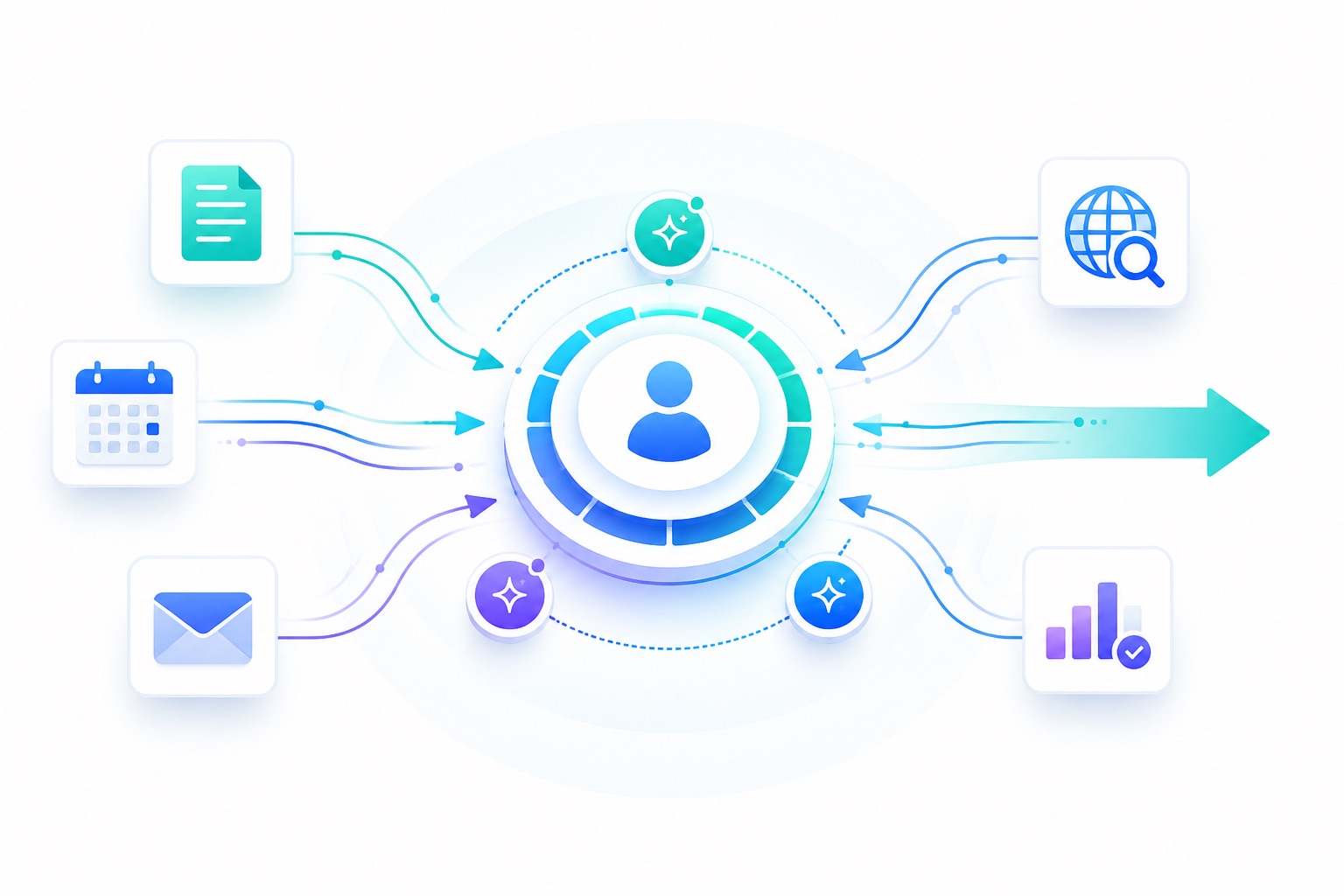
A step by step guide to building a three-agent personal intelligence system that reads your notes, monitors the web, maintains a private wiki, and delivers daily and weekly briefings to your inbox.
The thinking behind why I built this is in the companion post: My Personal AI Brain.
What you’ll build:
- A daily email digest grounded in your Obsidian vault and calendar
- A nightly wiki update that maps your active topics and enriches them with web research
- A weekly review that closes the week and opens the next one
- A private, secured website that hosts your living knowledge base
Time to set up: 2-3 hours
Running cost: $0 (runs on your existing Claude subscription, Resend free tier covers the email volume)
Infrastructure: Cowork, Cloudflare (free tier), Obsidian (iCloud sync)
Prerequisites
Before you start, you need:
- Obsidian with your vault synced to iCloud
- Cowork installed on your Mac with filesystem access enabled
- Google Calendar connected to Cowork
- Gmail connected to Cowork
- A Cloudflare account (free)
- A GitHub account (free, for the Worker deployment)
- Resend account with a verified sending domain (for email delivery)
Part 1: Cloudflare Setup
This is the foundation for the wiki. You are building a private website that only you can access, hosted on Cloudflare’s edge network, updated nightly by the wiki agent.
Step 1.1: Create a GitHub repo
Create a new private GitHub repo. Name it anything: brain-wiki works. Initialize it with a README so it is not empty.
Step 1.2: Create a Cloudflare Worker
- Go to dash.cloudflare.com
- Left sidebar: Workers & Pages > Create > Worker
- Name it
brain - Connect it to your GitHub repo under Settings > Builds
Your Worker will be live at brain.[your-account].workers.dev.
Step 1.3: Deploy the Worker script
In your GitHub repo, create src/index.js with this content:
export default {
  async fetch(request, env) {
    const url = new URL(request.url);
    let path = url.pathname;

    if (path === "/" || path === "") {
      path = "index";
    } else {
      path = path.replace(/^\//, "").replace(/\/$/, "");
    }

    const html = await env.WIKI.get(path);

    if (html === null) {
      return new Response(`<html><body>
        <h1>Not found</h1>
        <p>No wiki page at <code>${path}</code> yet.</p>
        <a href="/">Back to homepage</a>
      </body></html>`, {
        status: 404,
        headers: { "Content-Type": "text/html;charset=UTF-8" }
      });
    }

    return new Response(html, {
      status: 200,
      headers: {
        "Content-Type": "text/html;charset=UTF-8",
        "Cache-Control": "no-cache"
      }
    });
  }
};
Commit and push. Cloudflare auto-deploys.
Step 1.4: Create a KV namespace
- Left sidebar: Storage & Databases > KV
- Create a namespace, name it
brain-wiki - Note the Namespace ID — you’ll need it later
Step 1.5: Bind KV to the Worker
In your GitHub repo, create or update wrangler.toml:
name = "brain"
main = "src/index.js"
compatibility_date = "2024-01-01"

[[kv_namespaces]]
binding = "WIKI"
id = "YOUR_KV_NAMESPACE_ID"
Replace YOUR_KV_NAMESPACE_ID with the ID from the previous step. Commit and push.
Step 1.6: Create a Cloudflare API token
- Go to dash.cloudflare.com/profile/api-tokens
- Create Token > Custom Token
- Name:
brain-wiki-agent - Permissions: Workers KV Storage > Edit
- Click through and create. Copy the token immediately — it is only shown once.
Step 1.7: Secure the site with Cloudflare Access
- Left sidebar: Zero Trust > Access > Applications > Add an Application > Self-hosted
- Application name:
Brain Wiki - Destination: your
brain.[account].workers.devURL - Session duration: 1 month
- Policy: Allow > Emails > your email address
- Save and create
To add Google login (recommended):
- Zero Trust > Settings > Authentication > Add new > Google
- Create a Google OAuth app at console.cloud.google.com with the callback URL Cloudflare shows you
- Paste the Client ID and Client Secret back into Cloudflare
Step 1.8: Add a placeholder homepage
- Storage & Databases > KV >
brain-wiki> Add entry - Key:
index - Value: any placeholder HTML
- Save
Visit your Worker URL. You should see the Cloudflare Access login gate, then the placeholder page. The infrastructure is ready.
Part 2: The Agents
You will create three scheduled agents in Cowork. Each agent has a prompt, a schedule, and a set of tools. The tools are already connected: filesystem for the vault, Google Calendar, Gmail.
For the wiki agents, you also need three values from Cloudflare:
- Account ID: visible in the URL bar when logged into Cloudflare (
dash.cloudflare.com/[ACCOUNT_ID]/...) - KV Namespace ID: from Storage & Databases > KV > brain-wiki
- API Token: the token you created in Step 1.6
In each wiki agent prompt, replace {account_id}, {namespace_id}, and {cloudflare_api_token} with these values before saving.
Agent 1: Daily Digest
Schedule: 1:00 AM daily
Tools: Filesystem, Google Calendar, Gmail
What it does: Reads yesterday’s Obsidian daily note and any vault files modified in the last 24 hours. Pulls tomorrow’s calendar. Sends a structured email with four sections: yesterday in review, documents touched, tomorrow’s calendar, and suggested focus.
Vault paths to configure:
- Daily notes:
/Users/[you]/Library/Mobile Documents/iCloud~md~obsidian/Documents/[vault]/01 Daily/ - Full vault:
/Users/[you]/Library/Mobile Documents/iCloud~md~obsidian/Documents/[vault]/
Prompt:
You are my personal executive assistant. Run at 1am every night.

Step 1: Read yesterday's daily note at:
[VAULT_PATH]/01 Daily/YYYY-MM-DD.md
(use yesterday's date)

Step 2: Scan the full vault at [VAULT_PATH] for any .md file modified in the last 24 hours, excluding the 01 Daily folder. Read each file found.

Step 3: Use Google Calendar to fetch all events for tomorrow.

Step 4: Write an HTML email with four sections:

1. Yesterday in Review -- 3-5 sentences synthesizing what I worked on. Be specific, reference actual content from the notes. Not generic.

2. Documents Touched -- one bullet per modified file, one line each saying what it was about. Skip if none.

3. Tomorrow's Calendar -- list all events with times. Add a one-line prep note for any meeting where you can infer context from the vault.

4. Suggested Focus for Tomorrow -- 3-5 specific, actionable bullet points grounded in the notes. Prioritize time-sensitive items, then work commitments, then writing and personal projects.

Step 5: Send the email via Gmail to [YOUR_EMAIL].
Subject: Brain Digest -- [tomorrow's day and date]

Use inline CSS. Header #1a1a2e, accent #4f8ef7, Arial font, max-width 640px.
Footer: "Generated by Brain Agent"

Rules:
- Be specific. Every sentence grounded in actual note content.
- Readable in 90 seconds.
- If something is missing, say so briefly and move on.
Agent 2: Wiki Update
Schedule: 11:00 PM nightly
Tools: Filesystem, Web Search
What it does: Reads the entire vault, identifies 5-10 active topics dynamically, runs web searches on each, and publishes topic pages and a homepage to your Cloudflare Worker via the KV API.
Prompt:
You are my personal knowledge curator. Run at 11pm every night.

Step 1: Read all .md files in [VAULT_PATH]. Build a picture of active topics, recent activity (last 7 days), key ideas, and open questions.

Step 2: Identify 5-10 active topics dynamically -- topics appearing in multiple notes or modified in the last 7 days. These are your working set.

Step 3: For each topic, run 2-3 web searches to find recent, relevant articles and developments. Focus on what would be genuinely useful given the topic context -- not generic overviews.

Step 4: For each topic, generate an HTML page with:
- Summary (3-5 sentences from the vault)
- Recent Activity (what I wrote about this in the last 7 days)
- Key Ideas (bullet list from the notes)
- Open Questions / Next Steps (unresolved items)
- Further Reading (4-6 curated links with one-line relevance notes)
- Last updated timestamp

Write each page to Cloudflare KV:
PUT https://api.cloudflare.com/client/v4/accounts/{account_id}/storage/kv/namespaces/{namespace_id}/values/topic/[topic-slug]
Authorization: Bearer {cloudflare_api_token}
Content-Type: text/html

Step 5: Generate a homepage with:
- Active Topics section: card grid linking to each topic page, with one-sentence summary and last activity date
- Recent Vault Activity: 5 most recently modified files with dates
- Quick Stats: total notes, notes modified this week, active topics count

Write to KV key: index

Design: background #f8f9fa, header #1a1a2e, cards white with border, accent #4f8ef7, Arial, max-width 900px. Footer: "Generated by Brain Agent · [timestamp]"

Rules:
- Derive topics from actual vault content only. Do not invent topics.
- Never include financial details, passwords, or sensitive personal information.
- If web search returns irrelevant results, skip further reading for that topic.
- Timestamp everything.
Agent 3: Weekly Review
Schedule: Thursday 10:00 PM
Tools: Filesystem, Google Calendar, Gmail
What it does: Reads the full week’s daily notes and modified vault files. Pulls this week’s and next week’s calendar. Produces a retrospective and forward plan. Sends as email and publishes a wiki page.
Prompt:
You are my personal chief of staff. Run every Thursday at 10pm.

The work week runs Sunday to Thursday.

Step 1: Read this week's daily notes (Sunday through today) from:
[VAULT_PATH]/01 Daily/YYYY-MM-DD.md

Step 2: Scan the full vault for .md files modified this week (excluding 01 Daily). Read each file.

Step 3: Use Google Calendar to fetch this week's events (Sunday-Thursday).

Step 4: Use Google Calendar to fetch next week's events (Sunday-Thursday). Flag meetings needing preparation, family events affecting work planning, and commute days.

Step 5: Write a weekly review with these sections:

THIS WEEK:
- This Week in Review: 3-5 sentences, honest and specific. What moved, what stalled, what was decided.
- Accomplishments: bullets grouped by area (Work / Writing / Projects / Other). Real accomplishments only.
- Open Threads: things started but not resolved. Specific, grounded in notes.
- Calendar Highlights: notable meetings with one-line context.

NEXT WEEK:
- Calendar: all events with times, commute days flagged, prep notes where relevant.
- Priorities: 5-7 specific, actionable items with reasoning and rough effort (quick / half day / full day).
- Watch Out For: 2-3 honest flags -- risks, blockers, things overdue.

Step 6: Send as HTML email via Gmail to [YOUR_EMAIL].
Subject: Weekly Review -- Week of [this Sunday's date]

Step 7: Write a wiki page to Cloudflare KV with key: weekly/YYYY-WW
Same content as email but with navigation links (homepage, previous week).
Also update the homepage to add this week to a Weekly Archive section (GET current index, inject new entry, PUT back).

KV API:
PUT/GET https://api.cloudflare.com/client/v4/accounts/{account_id}/storage/kv/namespaces/{namespace_id}/values/{key}
Authorization: Bearer {cloudflare_api_token}

Design: match wiki design system (background #f8f9fa, header #1a1a2e, accent #4f8ef7).

Rules:
- Honest. If it was a light week, say so.
- Specific. Every item grounded in actual notes and calendar.
- The look-ahead should feel like advice from a trusted chief of staff, not a to-do list.
Part 3: Testing
Before scheduling any agent, run it once manually in Cowork.
Daily Digest test: Run it now. Check that it reads your vault correctly, finds recent files, and the email arrives formatted cleanly. If the daily note is missing (you haven’t written one today), it should say so briefly and continue.
Wiki Update test: Run it manually and then visit your Worker URL. You should see a real homepage with your actual topics within a few minutes of the agent finishing.
Weekly Review test: Run it on any day. The date math will be off but you’ll see whether the vault reading, calendar pulling, and KV writing all work.
Fix any issues in the prompts before scheduling. Tune the tone and level of detail to your preference.
Part 4: Scheduling in Cowork
Once each agent passes a manual test:
- Open each agent in Cowork
- Set the schedule:
- Daily Digest: every day at 1:00 AM
- Wiki Update: every day at 11:00 PM
- Weekly Review: every Thursday at 10:00 PM
- Ensure each agent has the correct tools enabled
The agents will run unattended from that point. Check the first few automated runs to confirm output quality, then let it run.
Customization
Topics the wiki tracks: The wiki agent identifies topics dynamically from your vault. The more consistently you write about a topic, the more prominently it appears. No configuration needed.
Email format: Adjust the HTML design by modifying the CSS values in the prompts. The color scheme and layout are fully defined inline.
Weekly cadence: If your work week differs from Sunday-Thursday, adjust the day references in the Weekly Review prompt.
Prompts
All prompts in this guide are the exact prompts running in production.
Questions or improvements: rami@newrealm.co